I built a 24-7 Youtube Radio Station

Ever since I first heard Lofi Girl while studying for my exams at university, I've always wanted to setup my own Youtube Radio Station. This prospect has always intimidated me, as I did not know much about creating a video stream. This week, I decided to see if it was possible to use a Virtual Machine (VM) on Google Cloud Platform to setup my own 24-7 Youtube Radio Station: tinyradio.net.
Online Radio Streams
Some of us love a work or focus playlist; a rolling loop of unintrusive music that provides a steady backdrop to whatever task we are working on. Since a lot of us work and study online, millions of people around the world turn to Youtube to find a video to help them drown out any distracting background noise and "lock in". This is usually a long form video with a static backdrop or rolling animation, that plays steady beats. It works especially well with a pare of high quality noise cancelling headphones. Moreover, the Youtube recommendation algorithm, advanced as it is, frequently anticipates when we want to work hard or relax, and can occasionally spoon feed us just the video we need.
"Lofi Girl" is the most popular example of this. This Youtube channel provides a live youtube video which features a looping animation of a girl quietly studying while her cat wags it tail in the background, in the traditional anime style. The low-key, easy going music coupled with the relaxing scene helps you get in the right mindset for quiet work or study, and the channel is incredibly popular. At the time of writing, the channel holds 15.5 Million Subscribers, and 22k listeners on the most popular of their many streams.
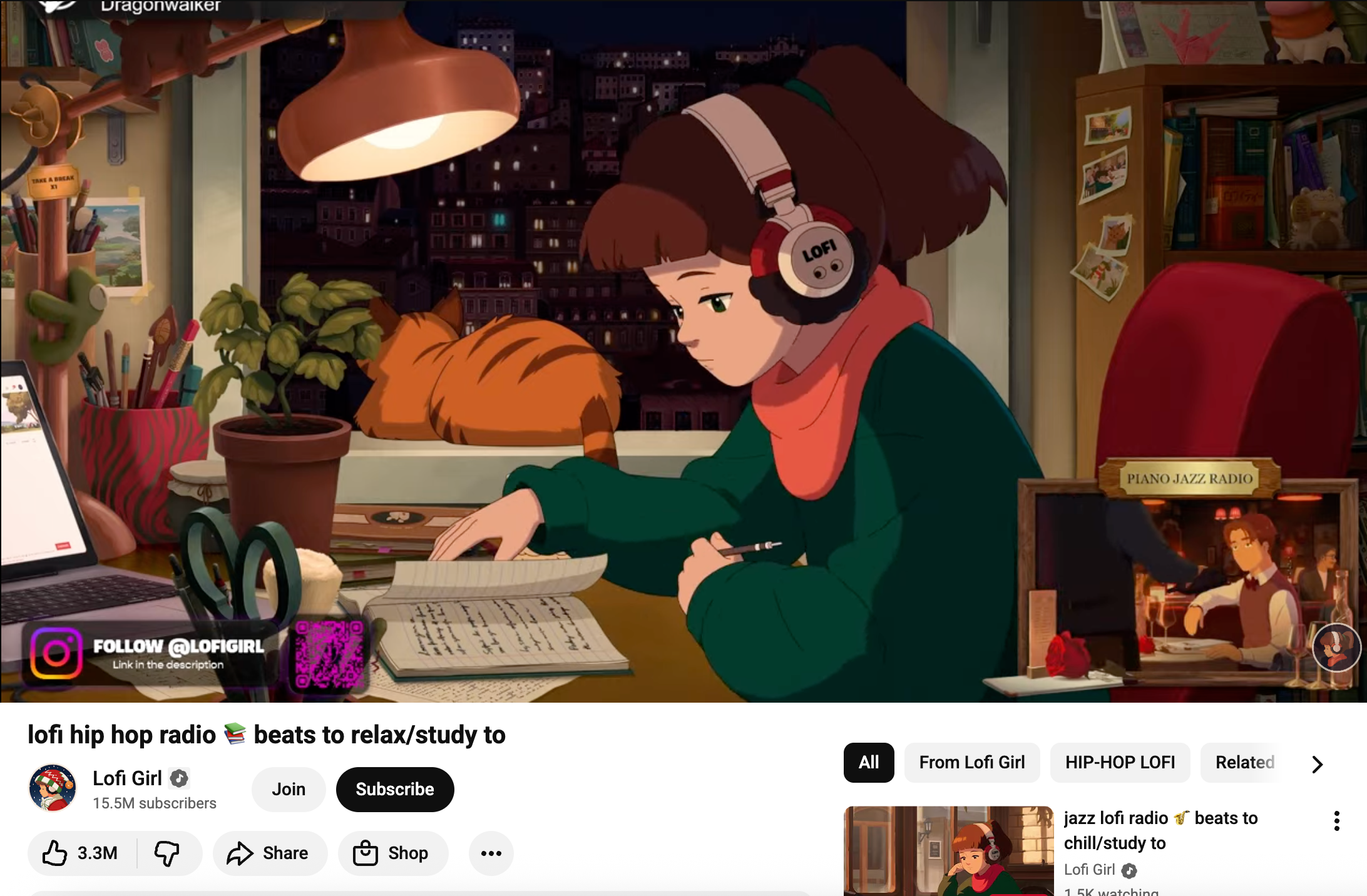
What I personally like about this is it acts like a traditional radio station. Today, with any choice of song available at our fingertips, it is sometimes nice to be "told" what to listen to by the traditional radio format - especially if you are seeking background music. I was also interested in the tech used to run it - the looping video has dynamic overlay text to update listeners on what is playing, and the stream has been running constantly since July 2022 - so it is built with some cool automations in place.
Building the stream
Here is what I needed
Youtube Channel
Google Cloud account
Music in MP3 format
Small budget
ChatGPT
These were the building blocks of tinyradio.net, a now live and kicking Youtube stream playing music 24-7. The project did not feature any out-of-the-box streaming software, and is configured entirely from shell commands and bash scripts.
What is a Virtual Machine?
I can install all of the stuff I need to run the stream from my computer using terminal, but this would mean that every time I shut my laptop the stream would stop and I would need to start it again. A Virtual Machine lets you spin up a computer using a cloud platform like Google Cloud Platform, which I can easily log into and setup automations in a terminal interface. Since this computer is running on a cloud server, it will run all of the time so will offer a good deal of reliability - as discussed in our previous article about cloud outages.
I started off by using the smallest Virtual Machine recommended by AI, the e2-micro. Once I started this in Google Cloud I was able to log into it and install the items I needed to get a stream going.
A huge win for AI
The main reason I did not do this when I first discovered Youtube Live Streams was because AI was not available. All the information was on the internet, but there was no handy guide to setup a stream like this with a simple step by step process, precisely tailored to my goal. When I first looked into this before, I was met with long scripts with phrases and code I did not understand, and it was all too initimidating. Now, the AI can hold my hand while I configure everything, and make sure I understand it. This time, I was able to get the initial stream live within a few hours. This is a clear example of AI enabling a non-specialist to build something they were unable to do so just a few years ago.
The process
Step 1 was to setup a new project using Google Cloud Platform
I created a VM instance called radio server. I initially chose e2-micro as the size: 1 GB RAM and 2 vCPU
In Google Cloud Platform you can SSH into your new computer using the browser no problem, so in one click I had the terminal open in my new machine
I installed Icecast, FFMPEG, and Liquidsoap using a few commands supplied via ChatGPT
I uploaded music to the virtual machine using the in-browser "Upload Files" feature in GCP
Icecast is a library which boots up a radio station and Liquidsoap is a scripting language which orders and queues my music files for the station. After a few commands I was able to get a live stream running from my server, and tune into it using my public IP
From within the VM OS, I was able to use FFMPEG to loop a still image and pick up the music from the stream, and send this to my Youtube channel using a URL provided by Youtube.
Youtube Studio picked up the stream but I instantly got a message saying my frame rate was too low. My poor wee e2-micro was gasping for breath producing this stream, so I upgraded my hardware to e2-small: 2GB RAM.
The stream stabilised and I had some extra room to transcode the video. I was able to paste the content of text files on top of the still image and update these images with rolling shell scripts on my VM. This tells the users what song is playing and what time it is, as well as what 'slot' they are listening to on the schedule
And with this, tiny radio was created!
Costs
When I was running the e2-micro the live stream was costing 28p per day. Now that I am on e2-small the costs have doubled to 46p per day. This means the radio station will cost me ~13 GBP per month (17 USD). It may be possible to optimise the stream with some ffmpeg magic and downgrade to e2-micro again, to get the costs down to 8.4 GBP per month (11 USD). Looking at the number one 3rd party product for creating a stream using out of the box software, the cheapest tear was 30 USD per month. I am making savings, and have total control over the stream and how it works, but third party software can offer lots of great functionality like stream design and scheduling, in a very powerful and easy to use interface, something which is quite difficult to do from the command line.
Conclusion
Overall I am happy with this approach. The stream feels very stable and reliable and I am aware of where all of the costs are coming from. I feel confident that the radio feed will run happily at not too high a price tag. If I were to take the radio station a bit more seriously, I could consider the streaming software, but it might take some of the fun out of it.
The stream
For more reads like this one, join our mailing list.
Make your data safe, secure, and accessible with CSV Getter.